Post better, reply faster, land the role.
LifeFlow is the AI copilot for developers who build in public and hunt for jobs. In Chrome it drafts X replies in your voice, watches the accounts that matter and spots hiring posts for your stack. Every role you save lands in your job tracker, and everything in your vault feeds your replies and applications.
Free to start. Bring your own AI key, or use the built-in one.
App recorded on a demo account. Extension panel shown with sample data.
Works with
- X (Twitter)
- Chrome & Edge
- Telegram
- Google Calendar
- Gmail
- Notion
- Groq · OpenAI · OpenRouter
- MCP
LifeFlow Copilot for X
Know what to reply to, and say it like you.
A quiet side panel next to your feed. It reads only what X already shows you, and opens only when you click it.
Replies in your voice
Learns from your own posts. Three drafts per post, inserted into X's reply box. Nothing is posted for you.
Early-reply watchlist
Pick 10–20 accounts. When one of them posts while you browse, it's flagged with a drafted reply and a badge count.
Hiring Radar
Spots hiring posts in your feed, checks them with a model, matches your stack and drafts a reply or DM. One tap saves the role.
Reply scoreboard
Logs what you send through the copilot and reads its likes, replies and views when you visit your profile. Top performers teach your voice.
Best time to post
Hour and weekday buckets from your own posts, on the IST clock. Drafts carry a suggested slot.
TL;DR and save to vault
Three bullets on any post and its visible replies. Save the post, with its TL;DR, to your knowledge base in one tap.
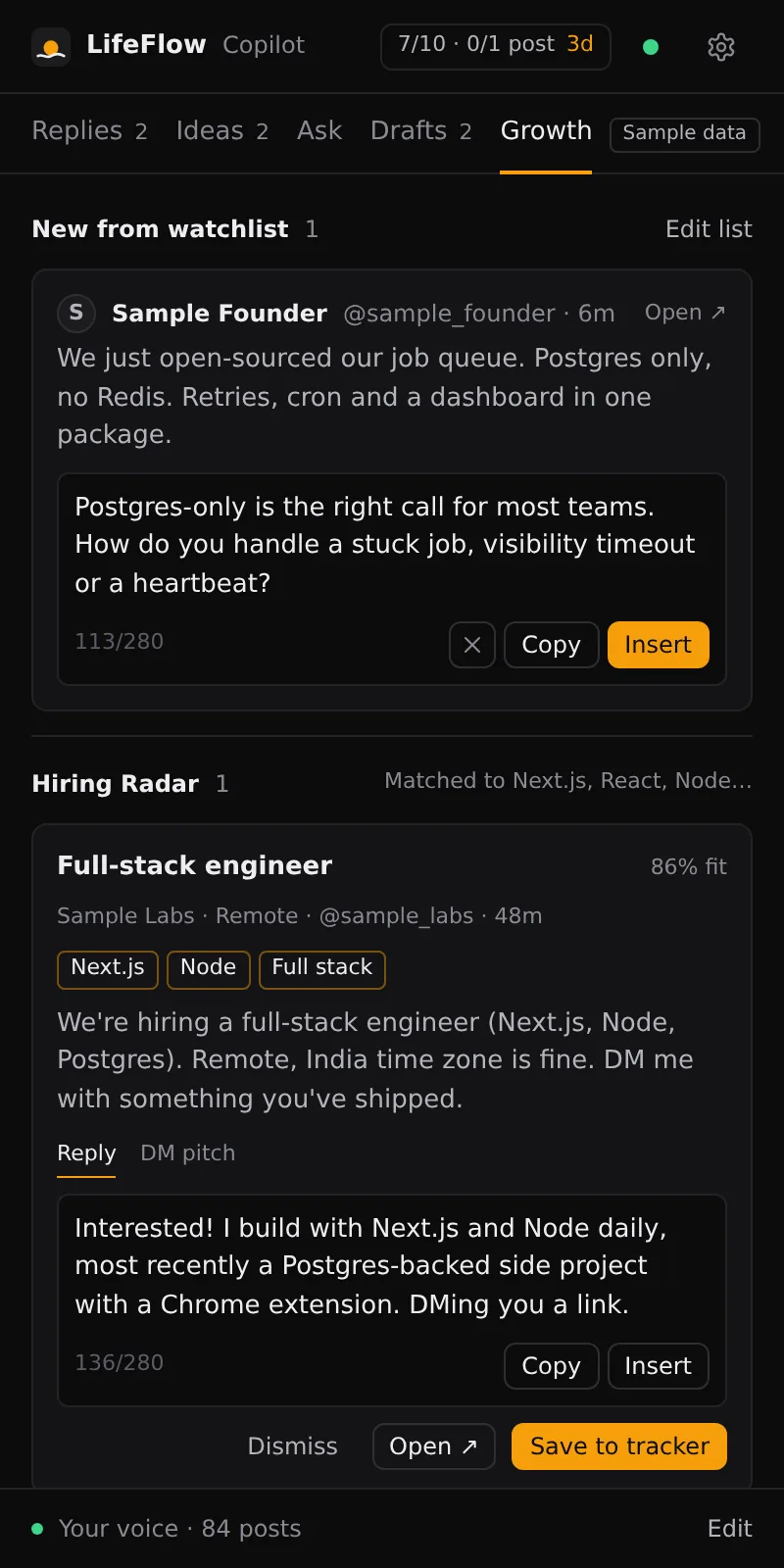
Real extension UI, rendered with sample data.
Goal counter, watchlist posts with drafted replies, and Hiring Radar.
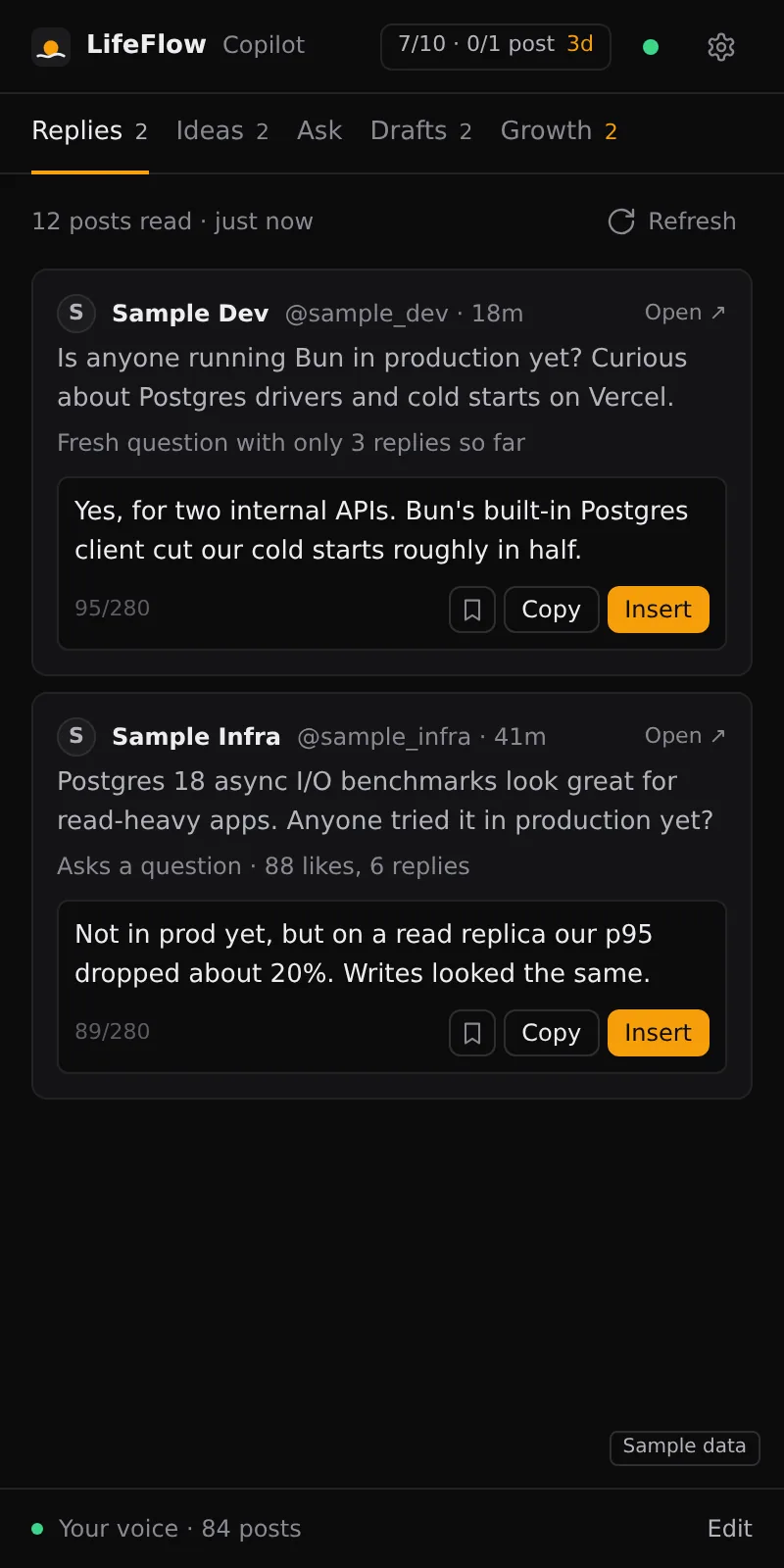
Real extension UI, rendered with sample data.
The posts worth replying to now, with drafts in your voice.
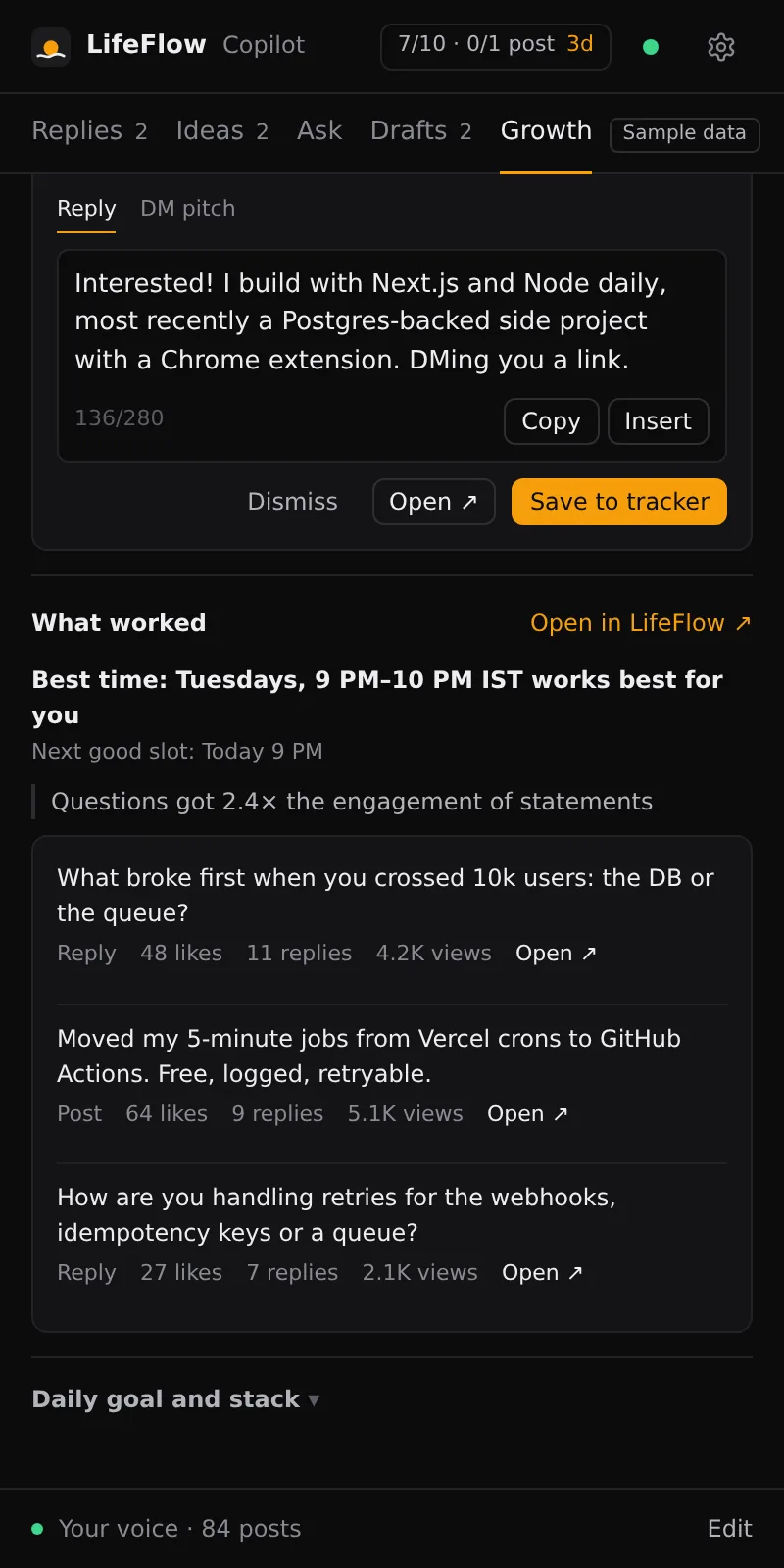
Real extension UI, rendered with sample data.
Your best replies and the hours that work for you.
Bring your own AI
Your keys. Your models. Your bill.
Add a key once in Settings → AI and every feature, in the app and in the extension, uses it.
Any OpenAI-compatible provider
Groq (free tier), OpenAI, OpenRouter or a custom endpoint. Test the key before you save it; switch any time.
Clear failures
Out of credits, key rejected or model unavailable: you get the exact reason and where to fix it, without provider internals.
Usage dashboardComing in this release
See requests and tokens per feature and per provider, so you know what your key is spending on.
Stored encrypted
Keys are encrypted with AES-256-GCM on the server and never sent back to the browser.
Second brain
Remember everything. Act on what matters.
A vault you can ask
Links, notes, PDFs and photos are summarised and indexed. Answers cite your notes and the web.
Answers become actions
The assistant creates tasks and reminders, logs spending and processes meeting notes, and shows which tools ran.
Morning X brief
Every morning: the three best posts to reply to and one post idea, on your dashboard and in Telegram.
Job tracker
Roles from Hiring Radar land in Saved, then move to Applied, Interview, Offer or Rejected.
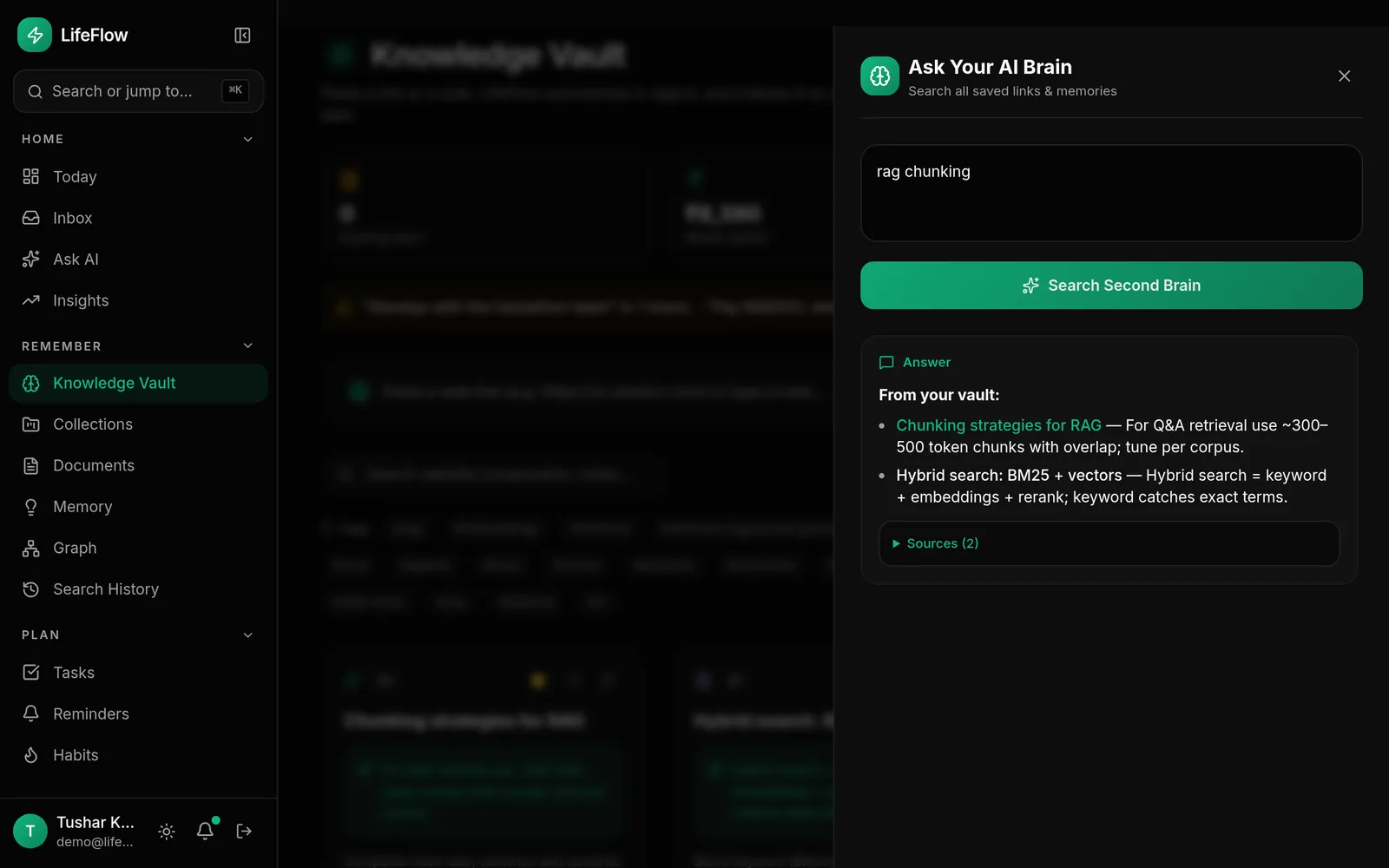
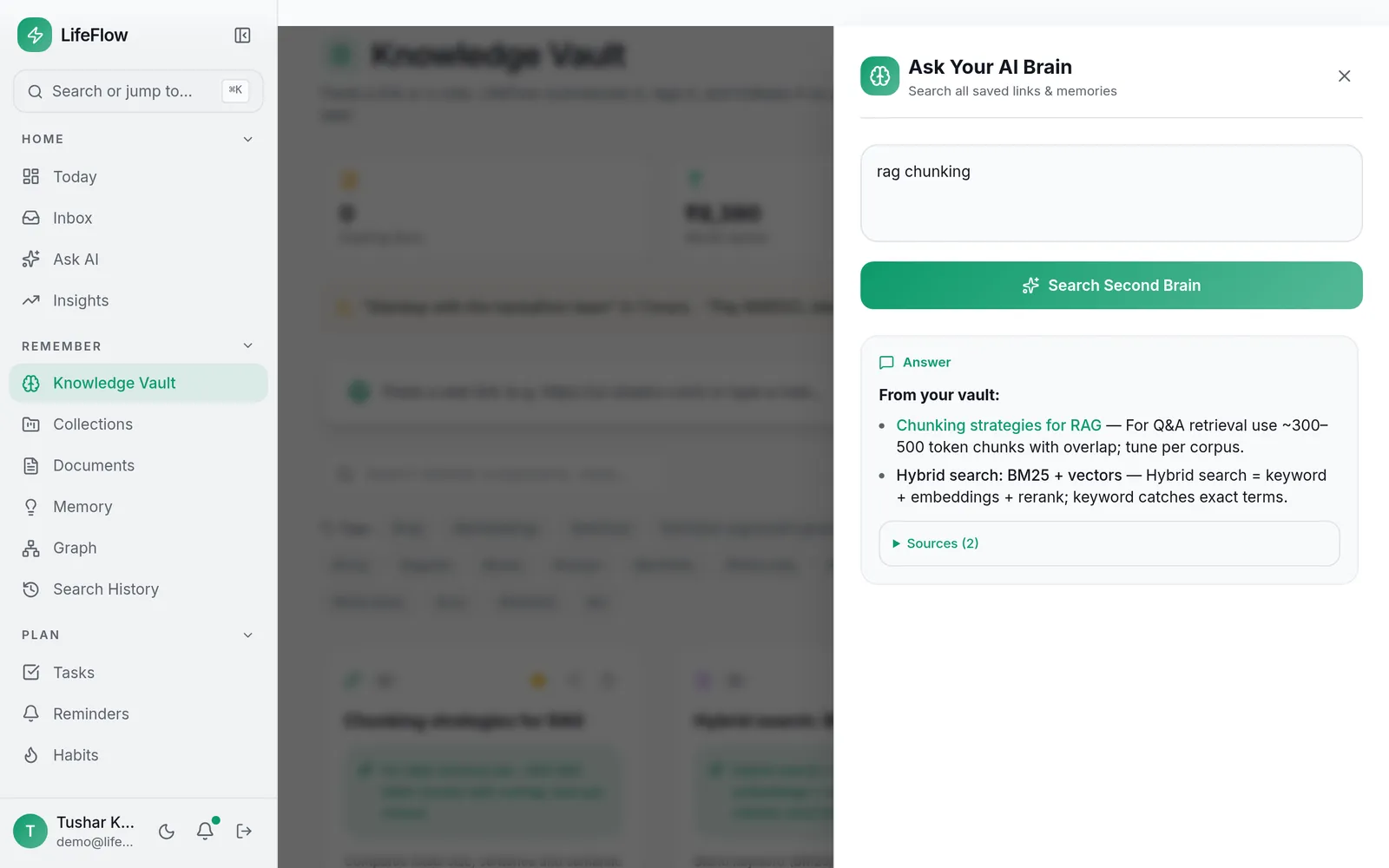
Ask your vault: answers cite the notes they came from.
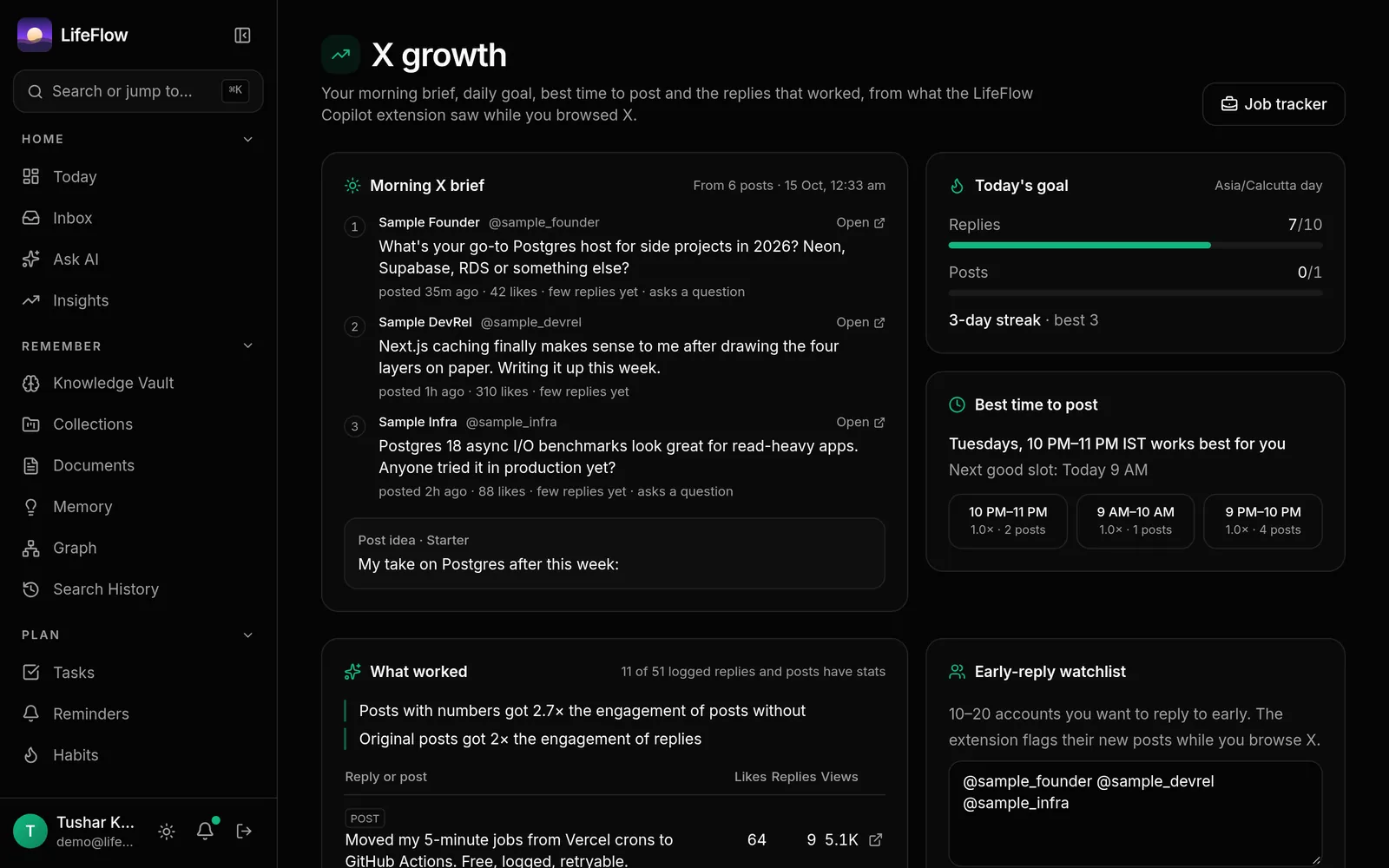
Morning brief, daily goal and streak, best time to post and what worked.
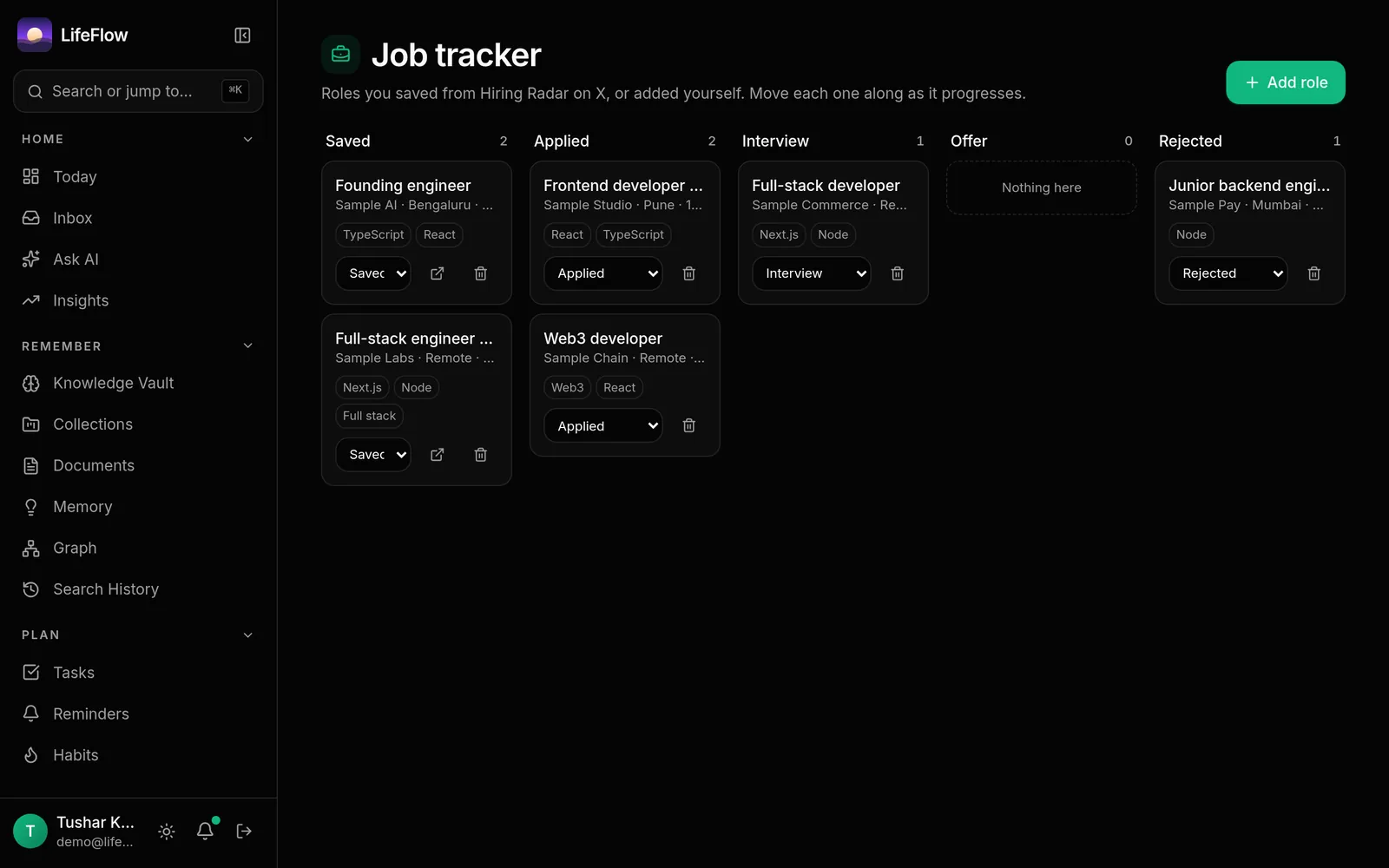
Roles saved from Hiring Radar, moved through five stages.
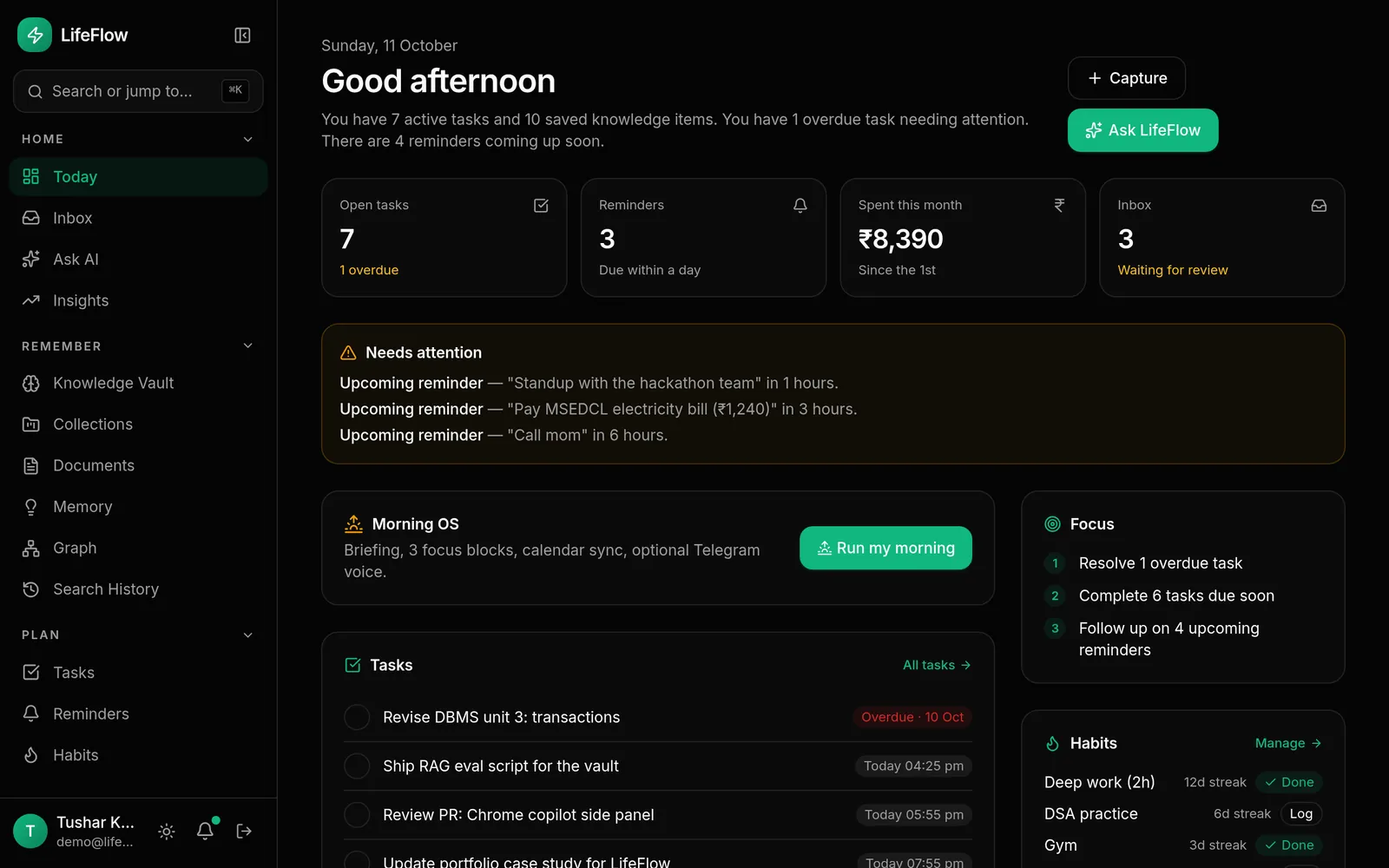
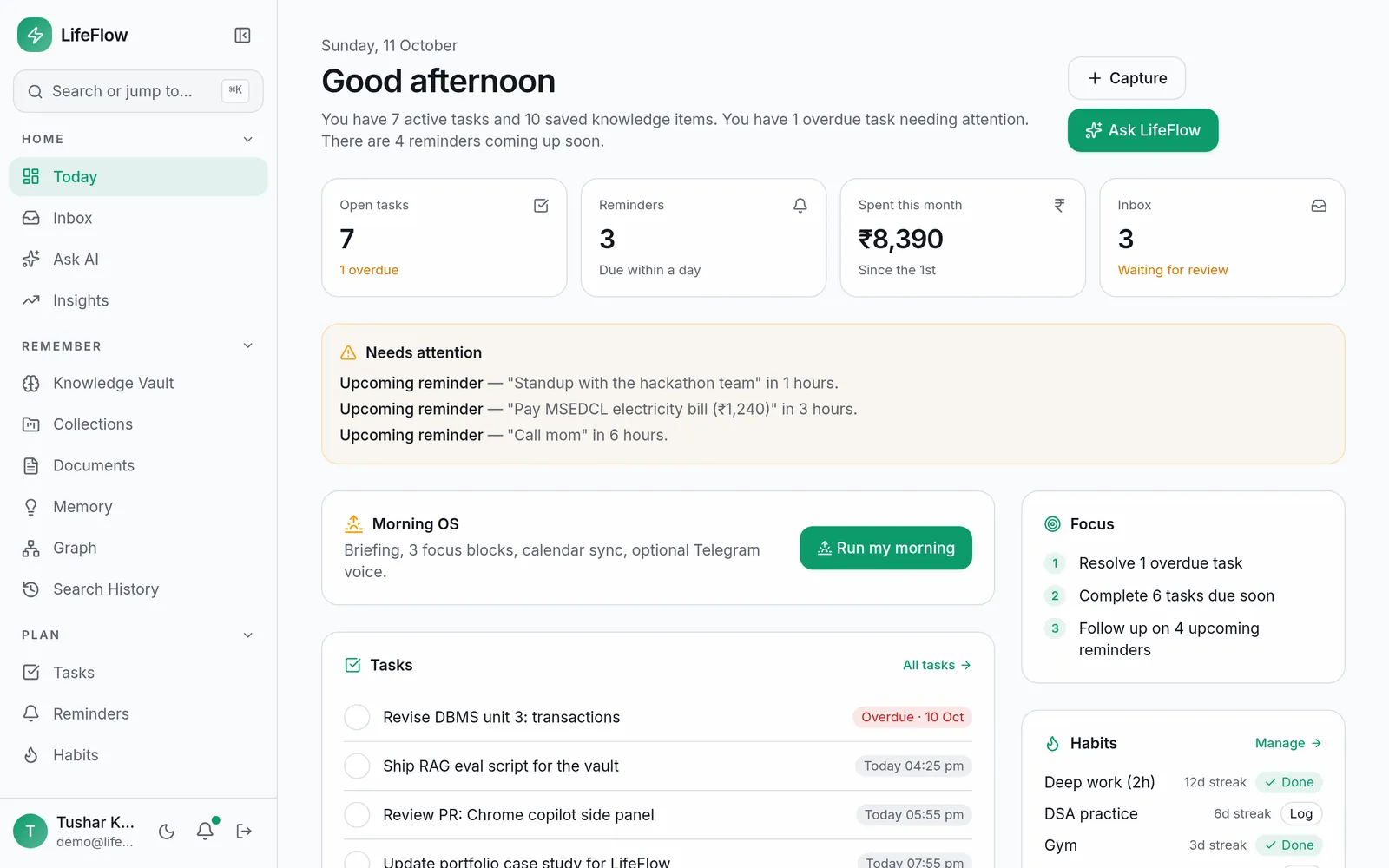
Tasks, reminders, spending and habits at a glance.
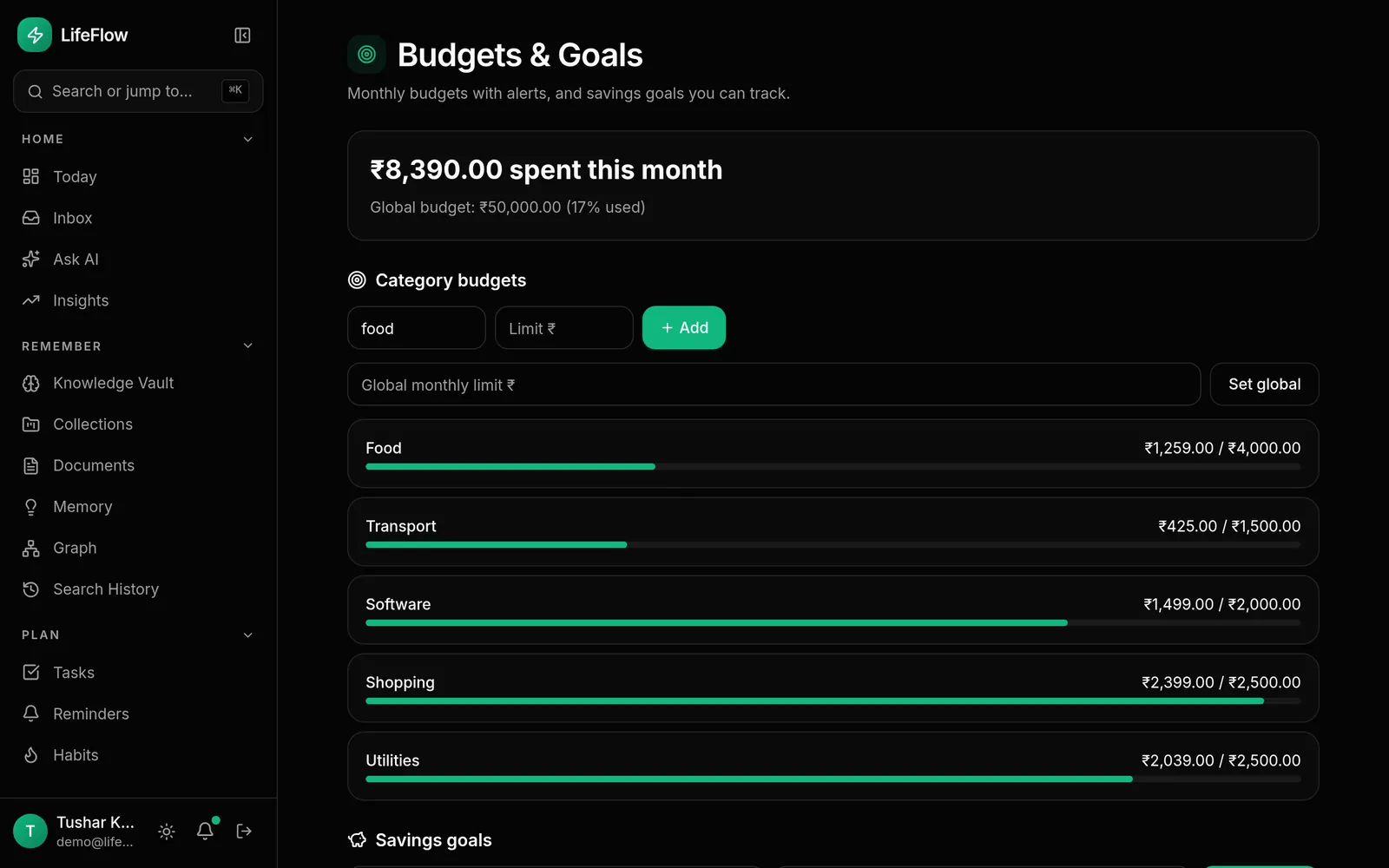
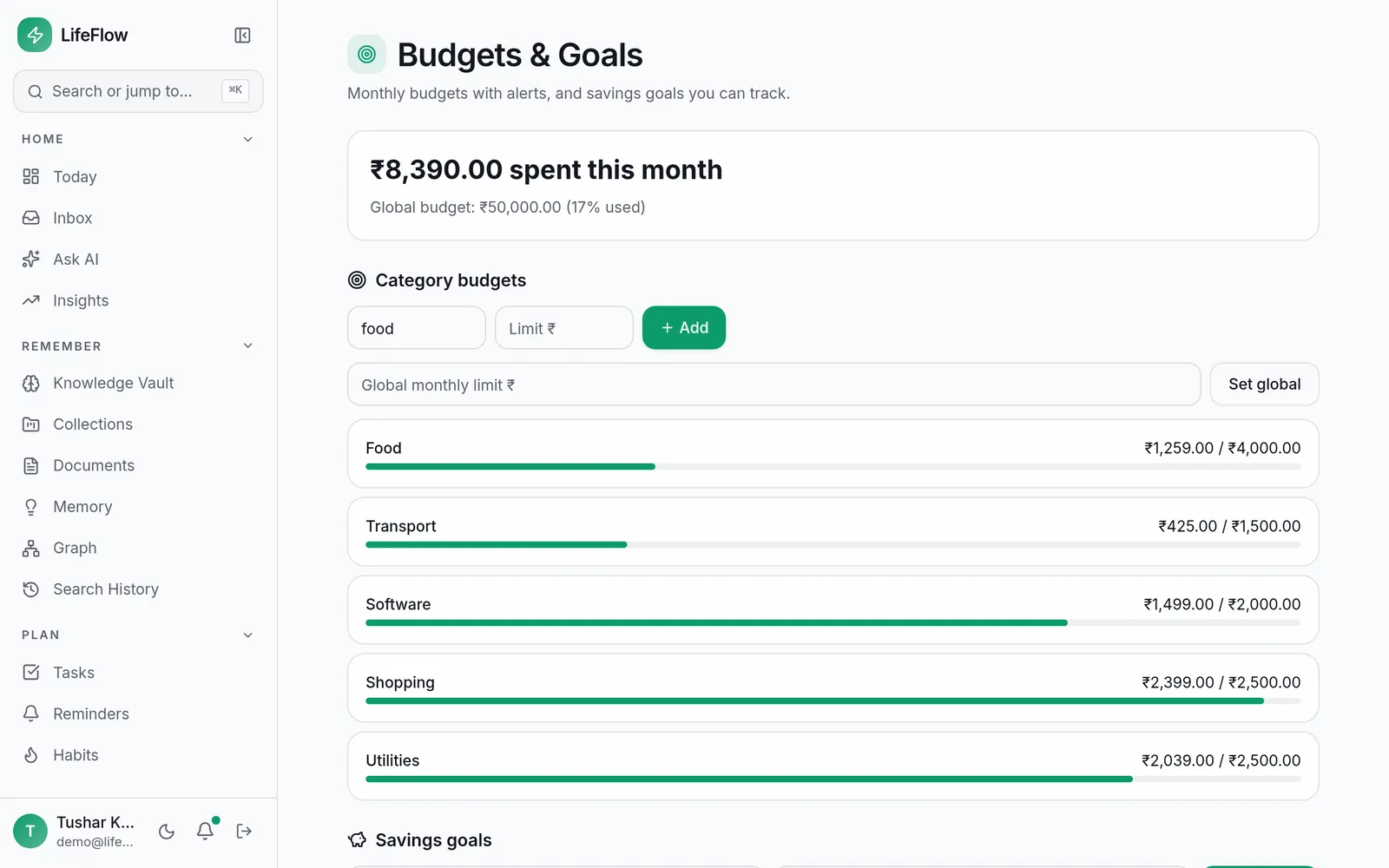
Log spending from a sentence; budgets and goals in rupees.
Security
Private by default. Boring where it should be.
AI keys encrypted at rest
Your Groq, OpenAI or OpenRouter key is stored with AES-256-GCM. Only the last four characters are ever shown.
No secrets in errors
Every server error goes through one sanitizer and a redactor. You see a plain message and a reference id, never a host, key or stack trace.
Scoped, hashed API keys
The extension uses a revocable key with explicit scopes. Keys are stored as hashes.
Small extension permissions
Side panel, storage and x.com only. It reads what X already shows you: no X API, no background scraping, and it opens only when you click it.
Read-only where it counts
Gmail connects read-only. Suggestions from email wait in your inbox until you accept them.
Export or delete
Download your data as JSON or Markdown, choose retention, or delete your account. Feed snapshots are kept 48 hours.
Install
Get the extension
LifeFlow Copilot 7.0 for Chrome and Edge. About a minute to set up.
- 1
Unzip it
Download the zip and unzip it to a folder you'll keep.
- 2
Load it
Open chrome://extensions, turn on Developer mode and choose Load unpacked, then pick the folder.
- 3
Connect
Click the LifeFlow icon in the toolbar and paste an API key from Developer → API keys in LifeFlow.
- Microsoft Edge: the same zip works. Open edge://extensions, turn on Developer mode and choose Load unpacked. LifeFlow Copilot isn't listed on Edge Add-ons yet, so install it this way for now.
FAQ
Questions
- Does the X copilot post for me?
- No. It drafts, and you choose. Insert puts the text into X's own reply box or composer; you press Reply or Post yourself.
- How does it see my feed without the X API?
- The extension reads the posts X has already rendered in your tab while you browse. Nothing runs in the background and nothing is scraped when you're not on x.com.
- Which AI does it use?
- Your own key from Settings → AI (Groq, OpenAI, OpenRouter or any OpenAI-compatible endpoint), or LifeFlow's built-in AI when the server has one. Groq has a free tier.
- Are the screenshots real?
- Yes. App screens are captured from LifeFlow running on a demo account. Extension screens are the real panel rendered with sample data, and say so on the image.
- Do I need Telegram?
- No. Telegram is an optional way to capture, ask and receive your morning brief from your phone.
Build in public. Land the role.
- Free to start
- Your own AI key
- Export any time